
With the requirements defined, we had a clear vision of what the end-result of the project will look like, and what we needed to do to achieve it. Well, we sort of did – it became apparent over the coming weeks that there some other things that we had to think of. But for now, we worked on the front-end.
Frameworks

When it came to beginning programming, we had to choose a JavaScript framework to use. Having prior experience with JavaScript, but not really with particular frameworks (although some team members did have), made it kind of overwhelming, seeing all these crazy frameworks, but the choice wasn’t too difficult in the end. We considered multiple –
Angular

Quite a popular and well-known framework, Angular is just great – not only is it easy to understand, its design enforces the MVC architecture. While this is still affected by our ability to program and create maintainable code – its made easier to do so. The other aspects of Angular such as its two-way binding, are also great, but I feel like it wasn’t as important in our decision. Angular would be a good framework to use for our project.
React

React is another framework, and is mainly used for UI applications. It’s architecture allows for straightforward coding and easy re-usability of components. Overall its great, like Angular. Furthermore it can be used with other frameworks, so if we wanted to we could just use multiple.
Vue

Vue takes concepts from Angular and React and combines them into a lightweight framework. It offers a lot of things that make programming with Vue easier such as the code being easy to understand, being flexible, and having components – which are quite a powerful feature. Vue seemed great for our application, and with Yi’s prior experience with the framework, it was decided that Vue would be what we use.
The First Demo
With the framework decided, it was time to plan the interface design for the front-end and also create a demo, to show John and Mercedes at our next meeting. This would also allow us to be better prepared when the proper development started, and show our idea of what the front-end should look like – thus, if John or Mercedes had any suggestions, we could apply them to the 1st iteration of our actual application.
In our application, the front-end will be made up of the ‘Image Submit’ page, where the user drags and drops images (or selects from file system), and later in the project may also be able to edit the image more finely. There will also be an ‘Output report’, displayed to the user after the image has been classified by the classifier, which gives details such as –
- Whether the image contains habitation or not – yes or no
- The output from the image classifier i.e. the image with segments and confidence ratings, etc.
- Date, time taken to classify, and more
James developed a demo using JQuery, whilst Yi worked on one with Vue.js. Both gave ideas about how to approach the front-end, and also resulted in us coming up with additional ideas on how to improve it.
{{{INSERT GIF OF JAMES DEMO}}}
In addition to the demo’s for the ‘Image Submit’ page, James also created a demo for the ‘Output Report’ Page.
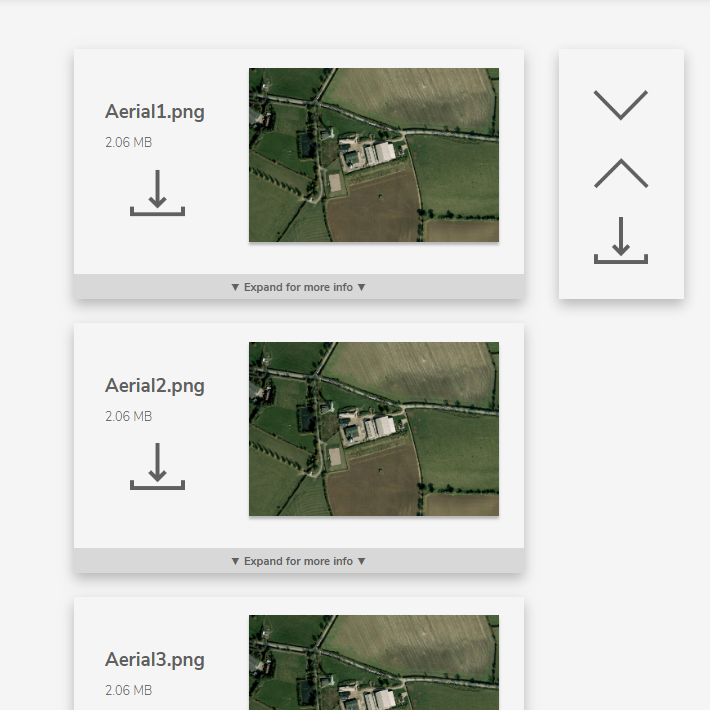
These demo’s solidified our understanding in what was expected from the front-end of the application, and with it, we begun to look into our next requirement, which was how the image classifier was going to classify an image, and what classifier we were even going to use. Would we use supervised or unsupervised learning? Would we use Image Segmentation? As such, some research was required.

Thanks for reading.
 UoN Missing Maps Project